
TekStandSolo
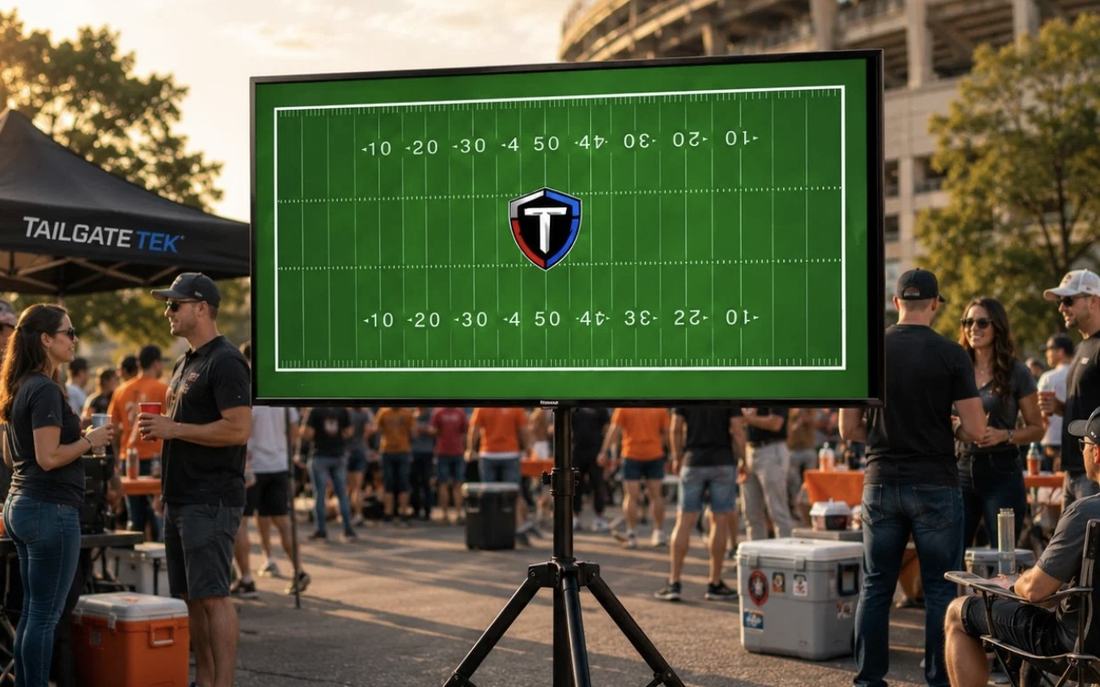
Set it up
Pick your ground
Level, firm, and clear. Avoid slopes, soft sand, loose gravel, and mulch. On grass, press each foot down until it stops sinking.
Open the tripod base
Spread all three legs out fully until each one stops. Confirm every leg is locked before any weight goes on the stand.
Attach the mount bracket
The mount bracket ships detached — it's wider than the folded stand, so it comes off for the box. With the pole still at its lowest setting, attach the bracket to the center column using the included hardware and tighten evenly until snug. Give it a firm wiggle: zero movement before any TV goes near it.
Set your height
Loosen the height collar, raise the pole to your viewing height, then retighten fully and seat the safety pin. The range is 55" to 70" measured to the mount. Lower is steadier — use the lowest setting that clears your crowd. Never let the collar alone hold the height.
Bolt the arms to your TV
Lay the TV face-down on something soft. Attach both arms vertically to the back, hooks facing up, using screws from the hardware pack. Slide them along the hole column to match your TV, keeping both level. Don't overtighten into the panel.
Hang the screenTwo people
One person steadies the stand, one lifts. Drop both hooks over the crossbar and confirm they're fully seated. Then hand-tighten the two thumb screws underneath — these stop the TV lifting back off. No tools needed, but they must be snug before anyone lets go.
Level, tilt, and test
Set your tilt, then push gently at the top of the pole. Any rocking means a leg or lock isn't seated — fix it before you power on. Re-check after ten minutes; fasteners settle under load.
Route your power
Run the cord down the pole and along one leg, never across the walking path. Use outdoor-rated cord and keep connections off wet ground.
Know your parts
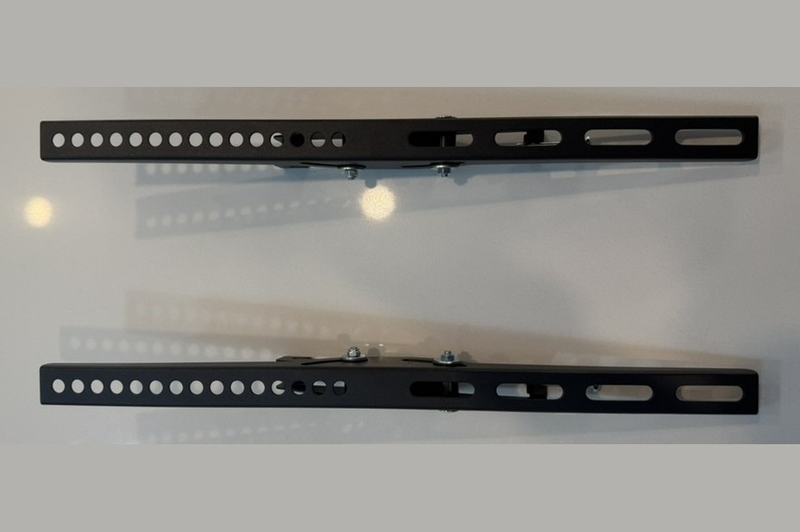 Mounting arms ×2
Bolt to the back of the TV. The column of holes sets how high the arms sit on the panel — keep both at the same height so the screen hangs level.
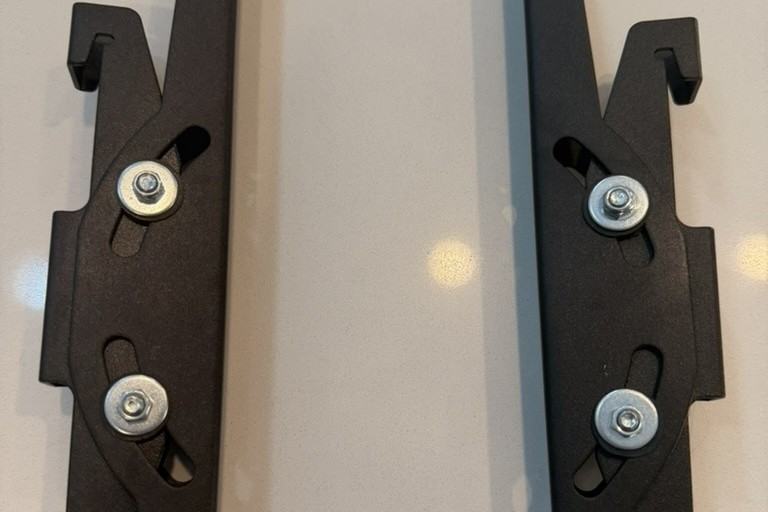 Hooks & tilt plate
The hooks face up and drop over the crossbar. The screw at the bottom clamps the arm to the stand — this is what stops the TV lifting back off the hooks.
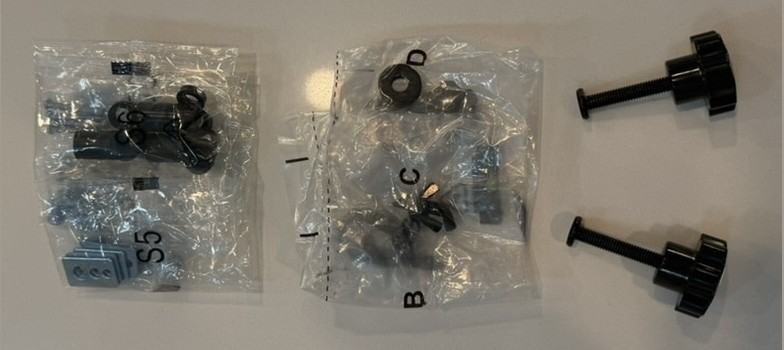 Hardware & thumb screws
Bags S5, S6, B, C, and D hold the VESA screws, washers, and spacers. The two knurled thumb screws are hand-tight, no tools. Your TV takes one screw size — test-fit before driving any screw home. Check your TV's VESA pattern first: the arms fit 100×100 up to 600×400 mm.
Pack it down
Screen comes off first
Remove the TV before lowering the pole or folding any leg. Collapsing a loaded stand is the fastest way to break a screen.
Lower, fold, wipe
Drop the pole to its lowest setting, fold the legs in, and wipe down before it goes back in the vehicle. Dry the hardware if it rained.
Specs
| Screens | 1 |
| Screen size | 23" to 75" |
| Max weight | 100 lb |
| VESA range | 100×100 to 600×400 mm |
| Height range | 55" to 70" |
| Tilt | 15° |
| Retracted (H×D×W) | 40" × 4" × 26" |
| Deployed (H×D×W) | 75" × 27" × 26" |
Safety
Tip-over and falling-object hazard. A falling screen can cause serious injury or death. Read all instructions before use.
- Do not exceed the rated screen size or weight. Check your TV against the spec table before mounting.
- Never allow children to climb, hang on, or play near the stand. Keep children and pets clear during setup and takedown.
- Take the screen down in wind, and never leave it up unattended or overnight. A mounted TV is a sail — if the wind could move an empty camp chair, take it down.
- Use on level, firm ground only. Never on slopes, soft sand, truck beds, or any moving surface.
- Two people are required to lift and mount the screen. Never attempt it alone.
- Both hooks seated and both thumb screws tightened before releasing the screen. Hooks alone will not hold a TV.
- Do not modify the stand or substitute hardware. Stop using it if any part is bent, cracked, or missing — contact us for replacements.
- Keep cords out of walkways and off wet ground. Use outdoor-rated cords only.
We answer every email — don't force a part.